
Redundancy and connector cascades
Configure ordered or weighted destinations and connector fallback paths.
Redundancy selects among destinations
Create or select a Redundancy node to configure its Algorithm, destination list and optional Keep payments on the selected connector setting. Redundancy can point to supported path types, including another routing decision, rather than only directly to a connector.
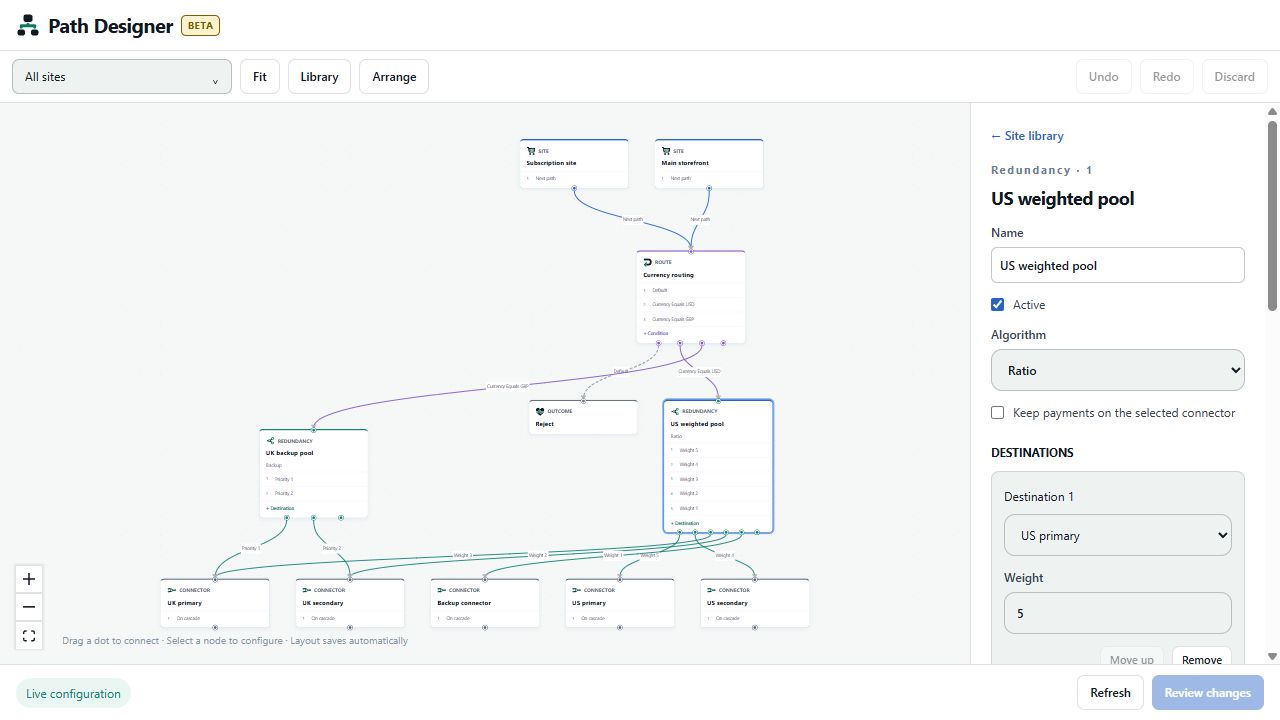
The algorithm selector includes Backup, Round Robin, Ratio, and the platform's available daily/monthly limit and percentage algorithms. Selection follows the existing routing engine and configured availability/limits. Designer does not simulate processing capacity or guarantee that a specific transaction will use a particular connector.
- Use Backup for ordered fallback behavior.
- Use Round Robin to distribute selection in turn among eligible destinations.
- Use Ratio for relative destination weights.
- The Available Daily/Monthly Limit/Percentage options depend on the underlying configured limits and usage data. Review those settings before selecting one.
Add, order or remove destinations
Choose + Add destination, or drag from the node's + Destination handle to another path. Set each destination in the right panel. Use Move up to change destination order and Remove to remove an entry. The arrow labels show Priority or Weight, according to the algorithm.
For Ratio, enter each destination's Weight. Weights are relative; they do not need to total 100. A 3:1 ratio expresses a relative preference of three shares to one when both destinations are eligible. Actual observed distribution can differ because of availability, limits, traffic volume and other configured routing behavior. Use positive weights for destinations you intend to receive traffic.
The optional Keep payments on the selected connector setting preserves the platform's existing sticky-selection behavior. It is not an Apply confirmation and does not override eligibility or provider constraints.
Connector cascades
A connector sends traffic to its configured payment provider. Its bottom On cascade handle defines where processing may continue when the routing engine's cascade conditions are met. A cascade is not an unconditional second payment attempt or a guarantee that every decline is retried.
To connect a fallback:
- Drag the source connector's On cascade dot to the target connector's top input dot.
- Select the source connector.
- Verify that Enable cascade is checked and Cascade destination is correct.
- Review every affected site before applying.
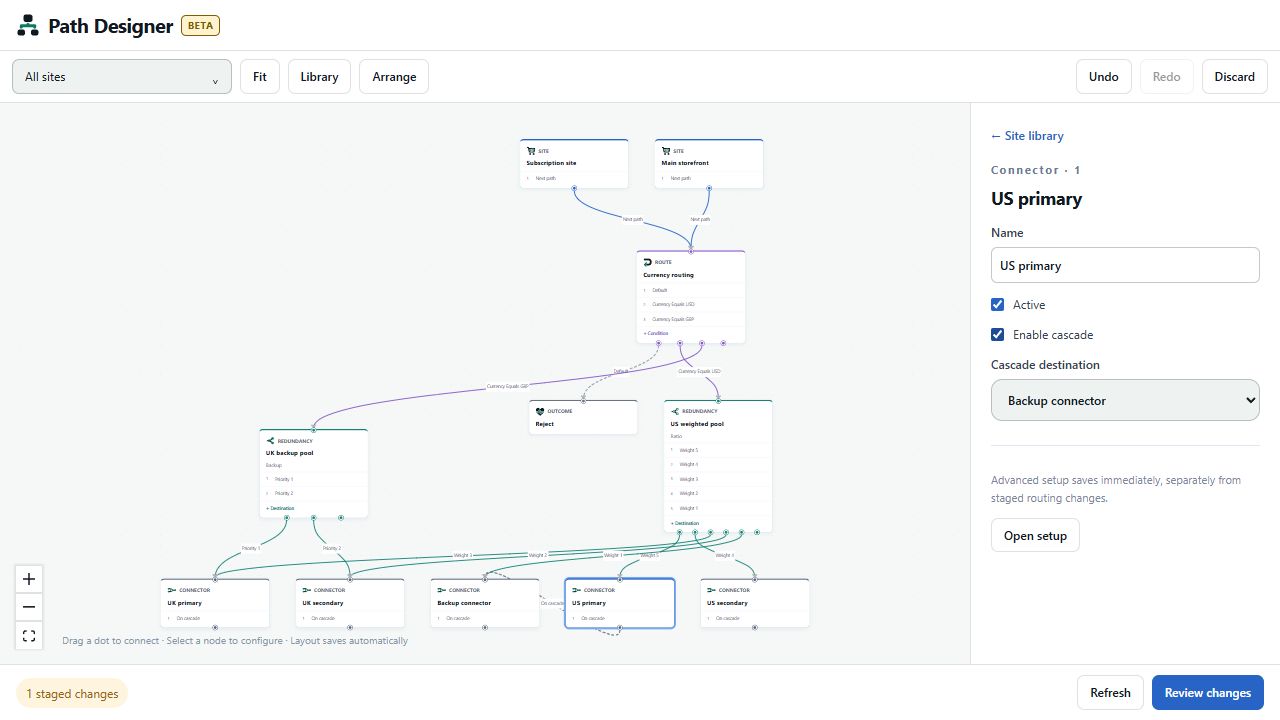
Drawing a cascade connection automatically enables cascading and sets the destination in one staged edit. You can also check Enable cascade and select the destination in properties. Supported destinations may include intermediate paths as well as connectors.
To remove it, select the cascade arrow and choose Remove connection. This clears the destination and disables cascading in the staged configuration. Unchecking Enable cascade also disables its use; review the saved destination when enabling it again later.
Avoid loops, including indirect cycles through routes or redundancy nodes. Check provider and transaction behavior in your test environment before introducing a cascade into payment processing.
Advanced connector settings
Choose Open setup for provider-specific configuration. Setup saves immediately, separately from staged routing changes. The Designer does not expose credentials in the diagram. New connectors also use the existing setup dialog rather than a temporary Designer-only connector draft.
Updated about 1 hour ago