
Split Settlements
Create OpenPath recipient IDs, map them to Adyen balance accounts, and allocate payments with the V5 API.
Split settlements allocate one payment across multiple recipients. You create each recipient once in OpenPath, map that recipient to an existing provider account on your connector, then send the OpenPath recipient ID in the payment request. For example, a USD 100 payment can allocate USD 90 to a seller and USD 10 to a house account.
Split settlements are currently available in the USD sandbox pilot on Adyen connectors with test splits enabled.
Create OpenPath recipient IDs
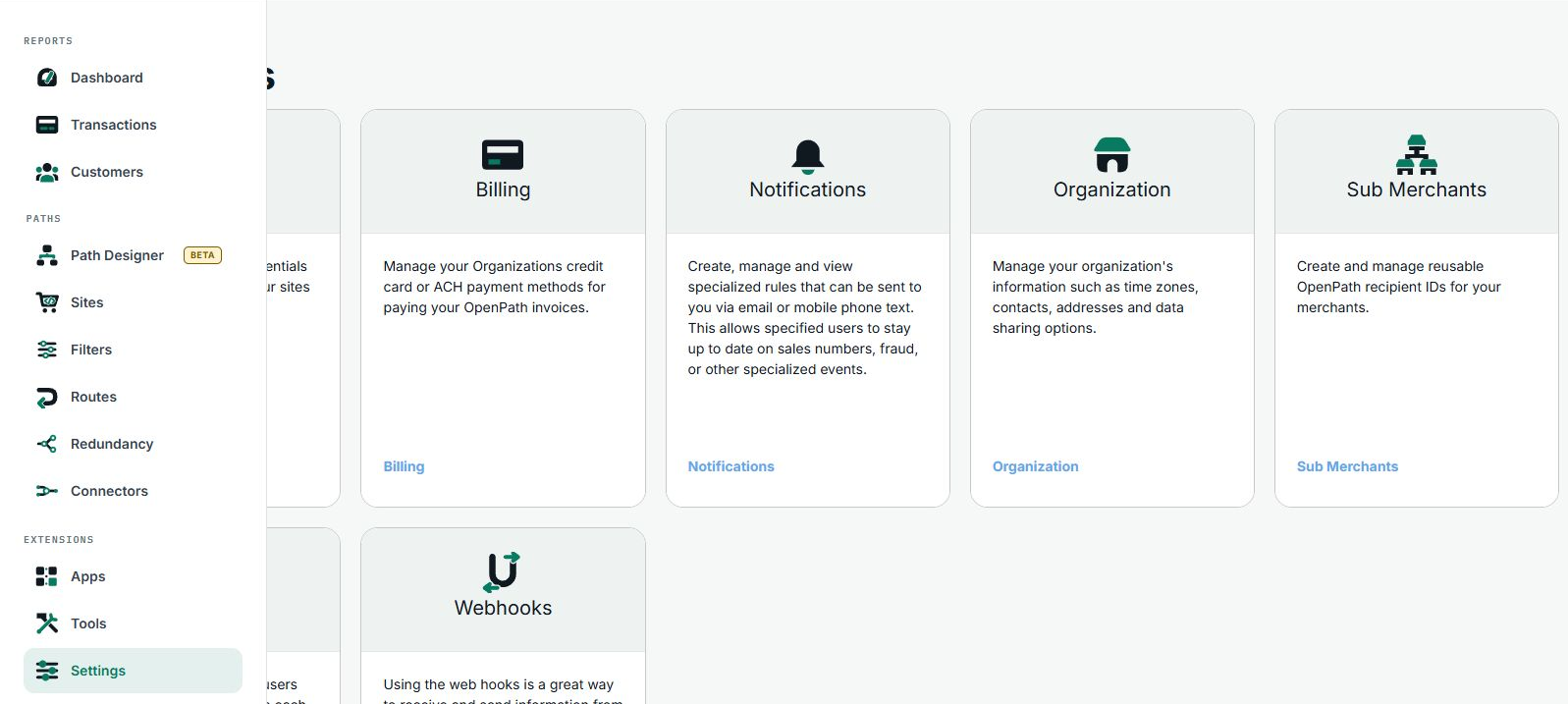
- In the Enterprise Portal, open Settings and select Sub Merchants.
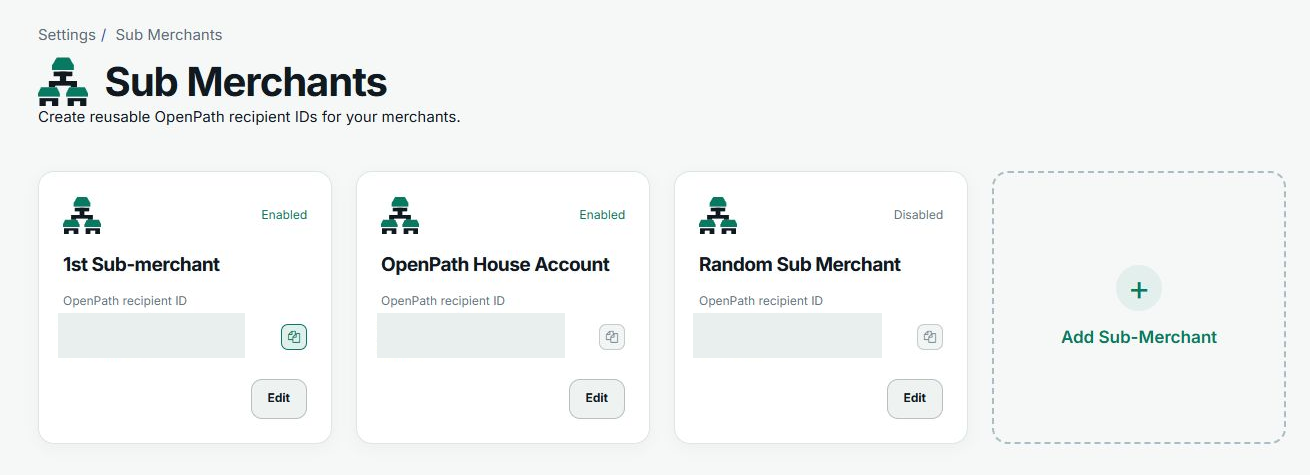
- Select Add Sub-Merchant, enter a name, leave Enabled on for a recipient you plan to use, and save.
- On the recipient card, use the copy button next to OpenPath recipient ID. OpenPath generates this unique ID when you create the recipient. The ID belongs to your organization and stays the same if you rename the recipient.
- Repeat for each recipient, including the house account if it receives an allocation. Use Edit to rename or disable a recipient. A disabled recipient cannot receive new split allocations.
Connectors
A connector mapping pairs an OpenPath recipient ID with an existing settlement account at the processor. Mappings are specific to the connector and environment. The OpenPath ID is the value your application sends, and OpenPath resolves it to the mapped processor account when it processes the payment.
Send a split payment
Once your mappings are enabled and verified, send a top-level split_settlement with the V5 Charge request. Use the OpenPath recipient IDs from Settings for each merchant_account_id.
Updated about 2 hours ago